How to Check AdSense Approval Status (2025): Google AdSense is One of the most popular platform to Earn online money through Blogging and Wensites.In this article we will explain hot to apply for AdSense and How to check Adsense Approval Status step by step.
How to Check AdSense Approval Status (2025):
Google AdSense is one of the most popular ways to earn money online through blogging and websites. If you have applied for AdSense, the first thing you’ll want to know is whether your account has been approved or not. Many beginners feel confused about how to track the approval process. In this article, we’ll explain how to check AdSense approval status step by step, along with tips to speed up the process.
Step 1: Login To AdSense Account
How to Check AdSense Approval Status (2025):
- Go to the Official Website of Google AdSense .
- Login using your Google account which one you used to Apply.
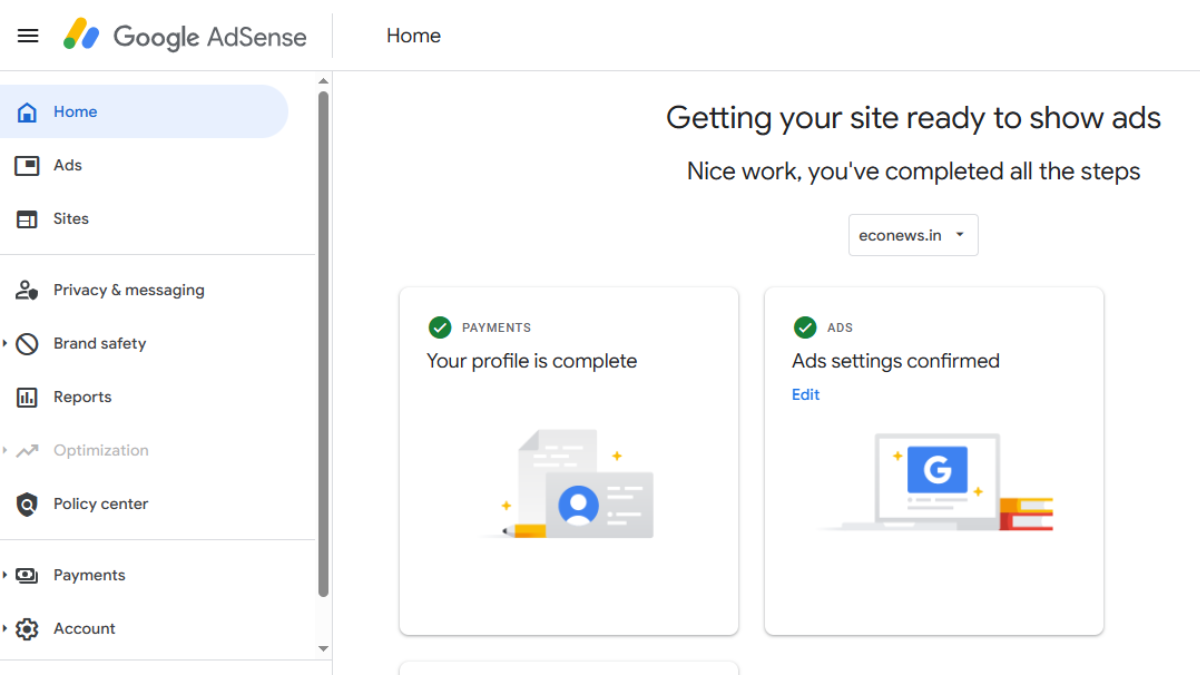
- Once Successfully Login you will see the Dashboard.
- After Entering all the Details of yours Website you will be applied and wait for Approval.
Step 2: Wait for Approval Notifications
- If Your site is Approved you see a message like “Your account has been Approved”.
- If your site is Rejected the AdSense will send a Message with Reasons like “low-quality content, policy Violations, Insufficient Content”.
- You can check your Approval status in dashboard under “sites” section if it is showing Getting Ready then your site will be under review, and if it is Approved then you will see the Earning Section in dashboard and also you will receive a mail.
Step 3: Check your Email Inbox
Google AdSense also sends an email notification to confirm whether your application has been approved or rejected.
- Approved email: “Your site is ready to show ads.”
- Rejected email: “Your site is not ready to show ads yet.”
Sometimes you can Check your Junk/Spam folder for Approval notifications.
Also Read: Best Halloween Movies & Series 2025
Step 4: How Long Does AdSense Approval Take
- How to Check AdSense Approval Status (2025): It usually takes up to 1-2 Weeks.
- In some cases, it can take longer if there are traffic spikes, new domains, or content-related issues.
Basic Things you should Know Before Applying:
- Publish at least 20-25 high-quality articles before applying.
- Ensure your website has Mandatory pages like About Us, Contact Us, Privacy Policy, and Disclaimer.
- Make sure your site has a clean design and mobile-friendly layout.
- Try to keep images and videos in Every Article or Content.
- Also check for Copyright Images when you downloading or saving images to use in your Content.
- Don’t download images from google to use on your Article and for no Copyright image please create your own using different softwares.
Conclusion:
How to Check AdSense Approval Status (2025): Checking your AdSense approval status is simple. Just log in to your dashboard, look for email updates, and review the Policy Center if needed. If your site gets rejected, don’t worry—fix the issues, add quality content, and reapply. With patience and consistent effort, your website will be approved, and you can start earning through AdSense.
Disclaimer:
How to Check AdSense Approval Status (2025): This guide is for informational purposes only. AdSense approval depends on Google’s policies and guidelines, which may change over time.